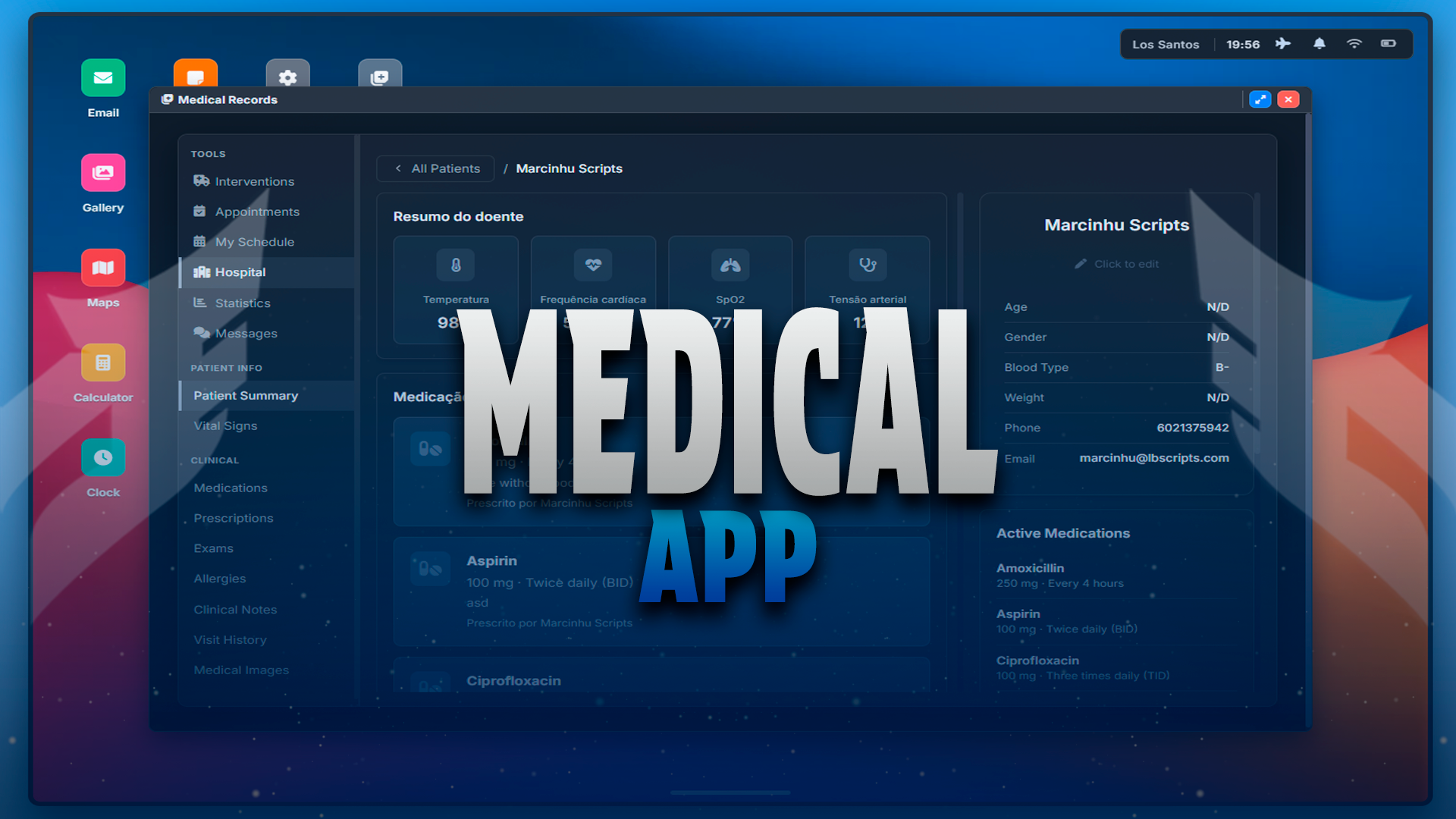
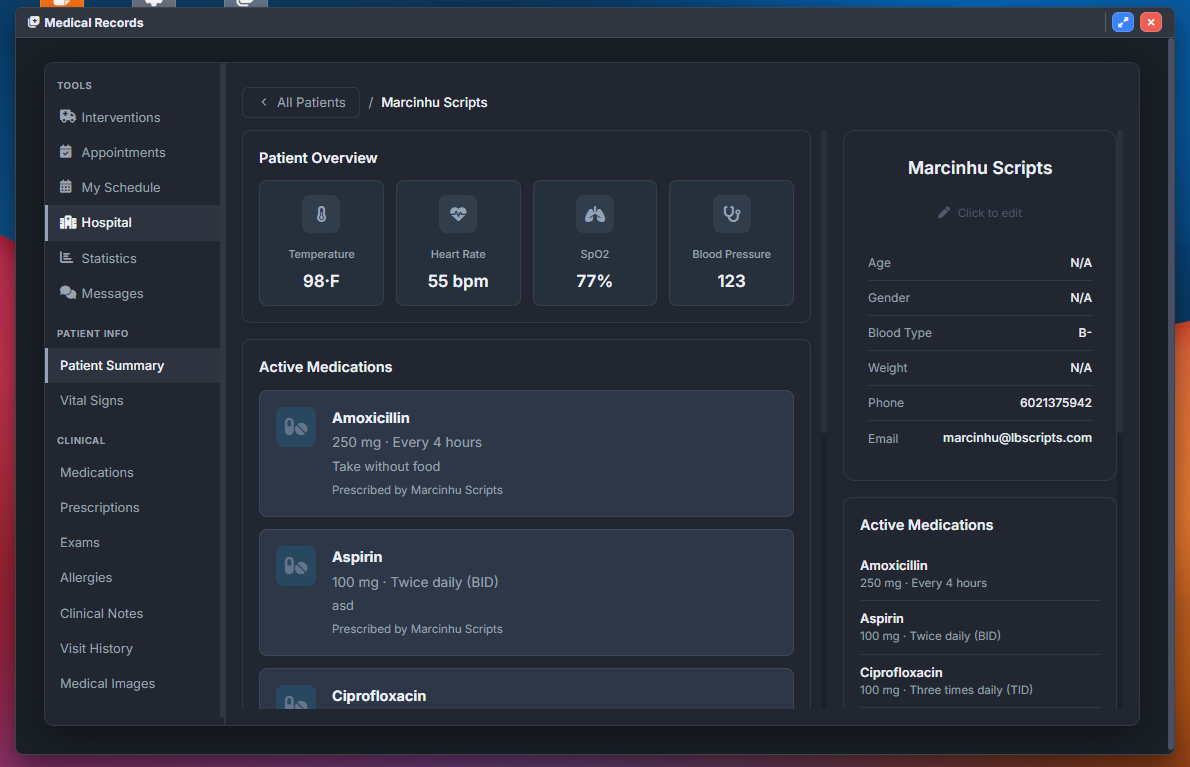
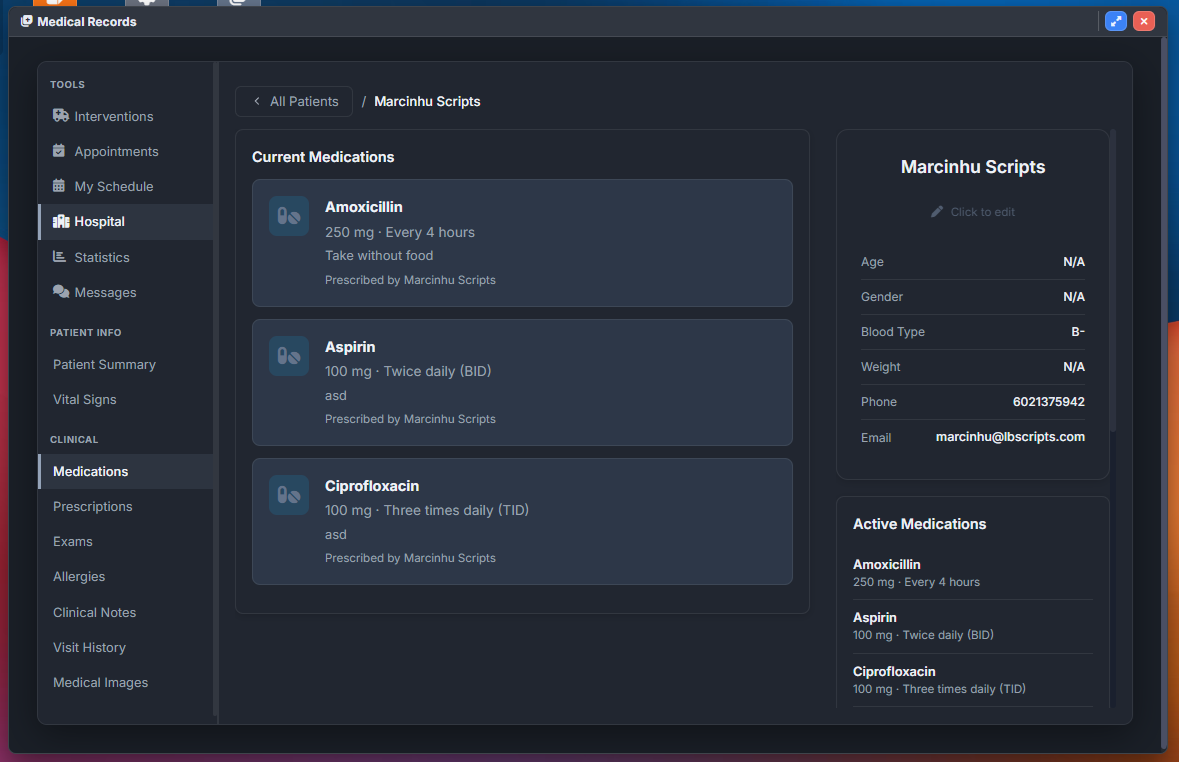
m-Tablet Medical Records is a custom app addon for m-Tablet, built for roleplay servers that need a full hospital EMR inside the tablet. EMS and hospital staff manage patient files, interventions, appointments, prescriptions, and exams; allied jobs can receive read-only access to view records without editing clinical data.
Requires m-Tablet.
Main Highlights
- Complete patient dashboard with search, registration, and deep clinical sections.
- Job-based access via Config.MedicalJobs (full access) and Config.FirefighterJobs (read-only).
- Optional staff login accounts with remember-me auto-login (Config.UseLoginSystem).
- Doctor and boss grade gates for prescriptions, schedules, medications, and audit logs (Config.DoctorGrade, Config.BossGrade).
- Interventions, appointments, doctor schedules, statistics, and internal staff messaging.
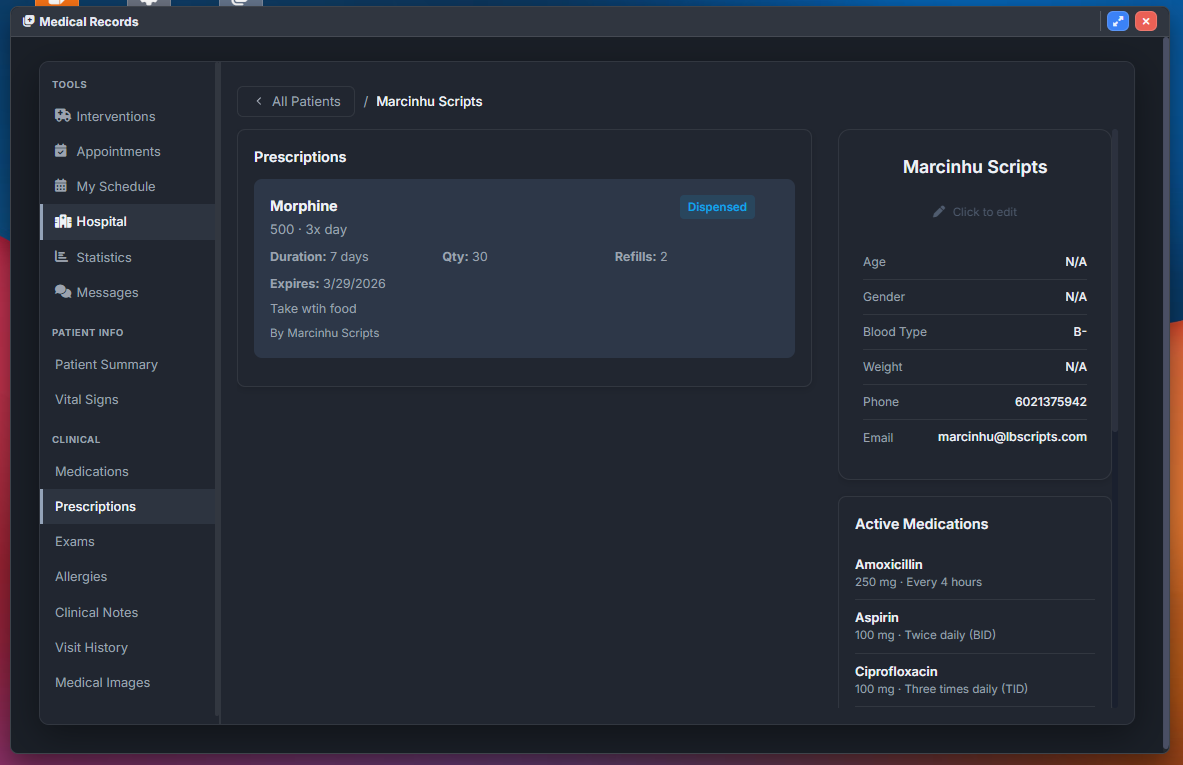
- Prescriptions, medical exams, visit history, allergies, medications, and image gallery per patient.
- English and Portuguese locales for UI and server messages.
- Optional lb-phone email notifications for appointments, prescriptions, and exams (Config.UseLbPhone).
- Optional Discord webhooks in server/webhooks.lua (auth, patients, medications, interventions, appointments, notes, admin, general).
- Automatic database setup on resource start (oxmysql).
- QBCore and ESX support via Config.Framework and server/framework_qb.lua / server/framework_esx.lua.
Patient Records
Staff search patients by name or identifier, register new profiles, and open a structured file with overview vitals, active medications, medical and surgical history, lifestyle habits, clinical notes, visit history, prescriptions, exams, and uploaded images. Demographics, blood type, contacts, and general practitioner assignment are editable from dedicated modals. Configurable quick-select lists speed up medications, allergens, note categories, exam types, visit types, and image metadata (Config.Medications, Config.Allergens, Config.ExamTypes, and related tables in config.lua).
Clinical Workflow
- Vital signs overview and dedicated vitals section with update modal (Config.VitalRanges for UI hints).
- Medication list with add, edit, and remove (doctor-grade permissions).
- Allergy tracking with severity and reaction fields.
- Categorized clinical notes with create, edit, and delete.
- Visit records with complaint, diagnosis, treatment, and notes.
- Prescription issuing with dosage, frequency, quantity, refills, and optional patient email.
- Exam requests and result entry with status workflow.
- Medical image gallery by type and body part (URL upload; Config.ImageTypes, Config.BodyParts).
Interventions And Operations
Create and review field interventions with type, severity, location, narrative report, and vitals on arrival. Severity levels and intervention types are defined in Config.InterventionTypes and Config.SeverityLevels. Ideal for EMS call logging linked to patient care.
Appointments And Schedules
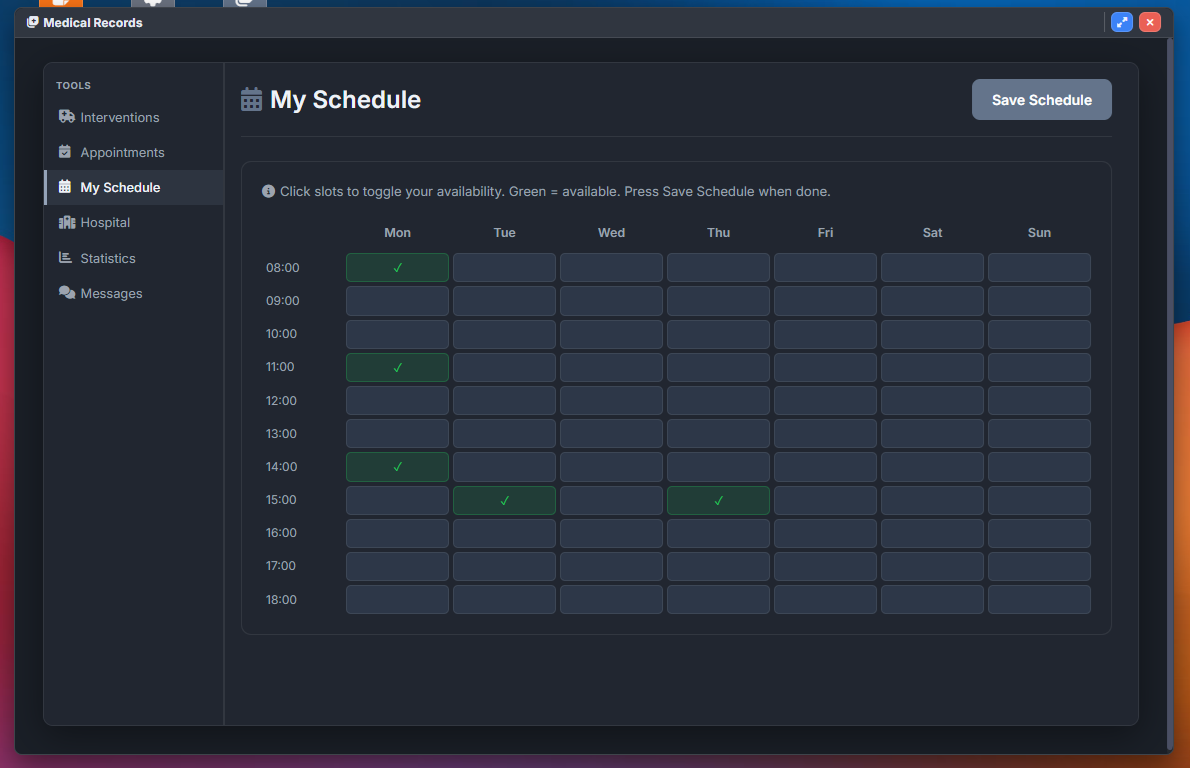
Doctors set weekly availability slots; staff schedule appointments or patients submit requests. Pending requests can be accepted or rejected with optional email alerts. Appointment management respects doctor-grade rules. Schedule editing can be opened to all medical staff via Config.AllowScheduleForAllMedical.
Statistics And Administration
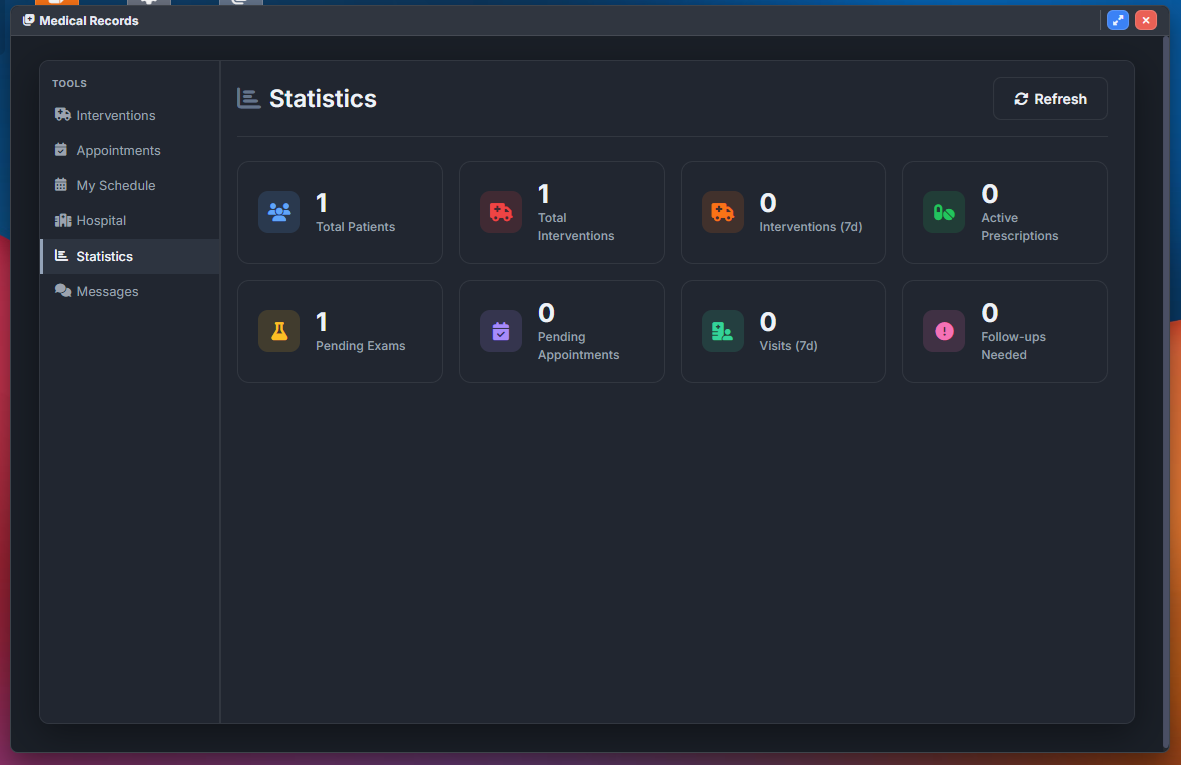
Hospital leadership views dashboards for patient counts, interventions, visits, prescriptions, pending exams, and appointments. Boss-grade staff access the admin panel with filterable audit logs of staff actions across the system.
Staff Messaging
Internal conversations between medical staff and patients (where enabled by workflow), with unread badges and polling while the app is open.
Access And Permissions
Full clinical tools require a job in Config.MedicalJobs. Jobs in Config.FirefighterJobs receive read-only mode (patient list, detail, and interventions; no appointments, schedule, statistics, messages, or admin). Statistics, messages, and the admin panel are hidden for non-medical roles. Senior grades unlock doctor actions (medications, prescriptions, appointments) and boss actions (full audit log). Disable Config.UseLoginSystem to rely on framework job checks only.
Staff Authentication
When Config.UseLoginSystem is enabled, each staff member creates a username and password tied to their framework identifier, with optional remembered auto-login per account. Minimum password length is set via Config.MinPasswordLength.
Localization
Set Config.Locale to en or pt. UI strings and server notifications use locales/en.lua and locales/pt.lua, including auth errors, email copy, and clinical labels.
Phone Integration
With Config.UseLbPhone enabled and lb-phone running, the server can email patients about scheduled appointments, new prescriptions, completed exams, and prescription resends when the patient is online with a phone and registered email (server/phone.lua).
Discord Logs
Configure webhook URL arrays in server/webhooks.lua for optional logging of authentication, patient changes, medications, interventions, appointments, notes, admin actions, and general events. Webhook URLs stay out of config.lua for easier server management.
Framework Integration
Set Config.Framework to qbcore or esx. Player identity, jobs, grades, notifications, and offline lookups are handled in the matching framework file. Only the selected framework module loads at runtime.
Configuration
- Config.MedicalJobs / Config.FirefighterJobs — full vs read-only access.
- Config.DoctorGrade / Config.BossGrade — doctor and chief permissions.
- Config.UseLoginSystem — staff tablet login on or off.
- Config.UseLbPhone — patient email notifications.
- Config.AllowScheduleForAllMedical — who may edit doctor availability.
- Clinical picklists: blood types, marital status, lifestyle, interventions, exams, visits, images, medications, allergens, note categories.
- Config.AppName, Config.AppIcon, Config.AppColor, Config.DefaultApp, Config.StoreApp — tablet launcher presentation.
Requirements
- m-Tablet (required).
- ox_lib.
- oxmysql.
- QBCore or ESX (Config.Framework).
- Optional: lb-phone for patient emails.